Publii White Space
In an earlier article I'd said this: 'I wanted to remove the double-spacing after the full stops in the first article I wrote: "Making a Second Version of this Website". After uploading my first article I noticed that the browsers word wrap seemed to get confused by the double-spacing, I think that this was more noticeable on a mobile phone's screen. Double-spacing after a full stop was once-upon-a-time a typing gold-standard but alas no more.'
Having programming a text editor with word wrap on a retro system I couldn't remember any issue with double spaces occurring, I probably understand more than most that algorithms are more complicated on modern systems but still... When I did retype the double spaces and reupload, the browser rendered inconsistently. So I did wonder about whether or not my double-spaces were in fact causing the issue.
My workflow has been to create and edit my articles in LibreOffice Writer and then paste the output into a text editor and then into Publii. I'm old school so I don't like any chance of formatting been transferred. LibreOffice has "Paste Special" and then "Unformatted Text" option, but I couldn't find the equivalent in Publii. There were a few other reasons too why I'd draft in LibreOffice Writer like keeping draft versions, preserving any ideas I had, proving that my articles are genuinely human, authentic. My workflow had inadvertently caused white space issues and Publii was paragraphing incorrectly.
This is what we do in LibreOffice Writer to create a paragraph:
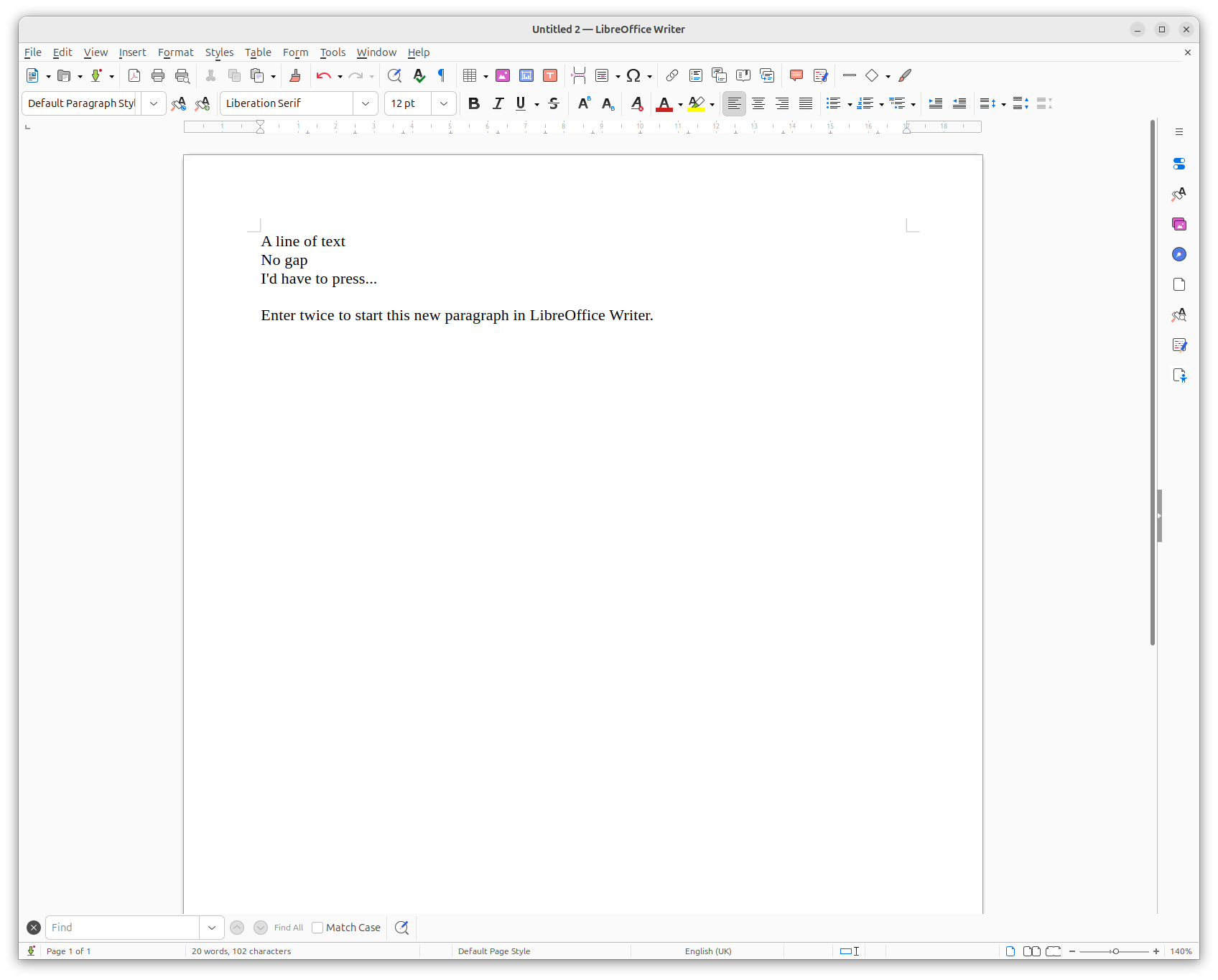
The habit of pressing Enter twice doesn't help in Publii.
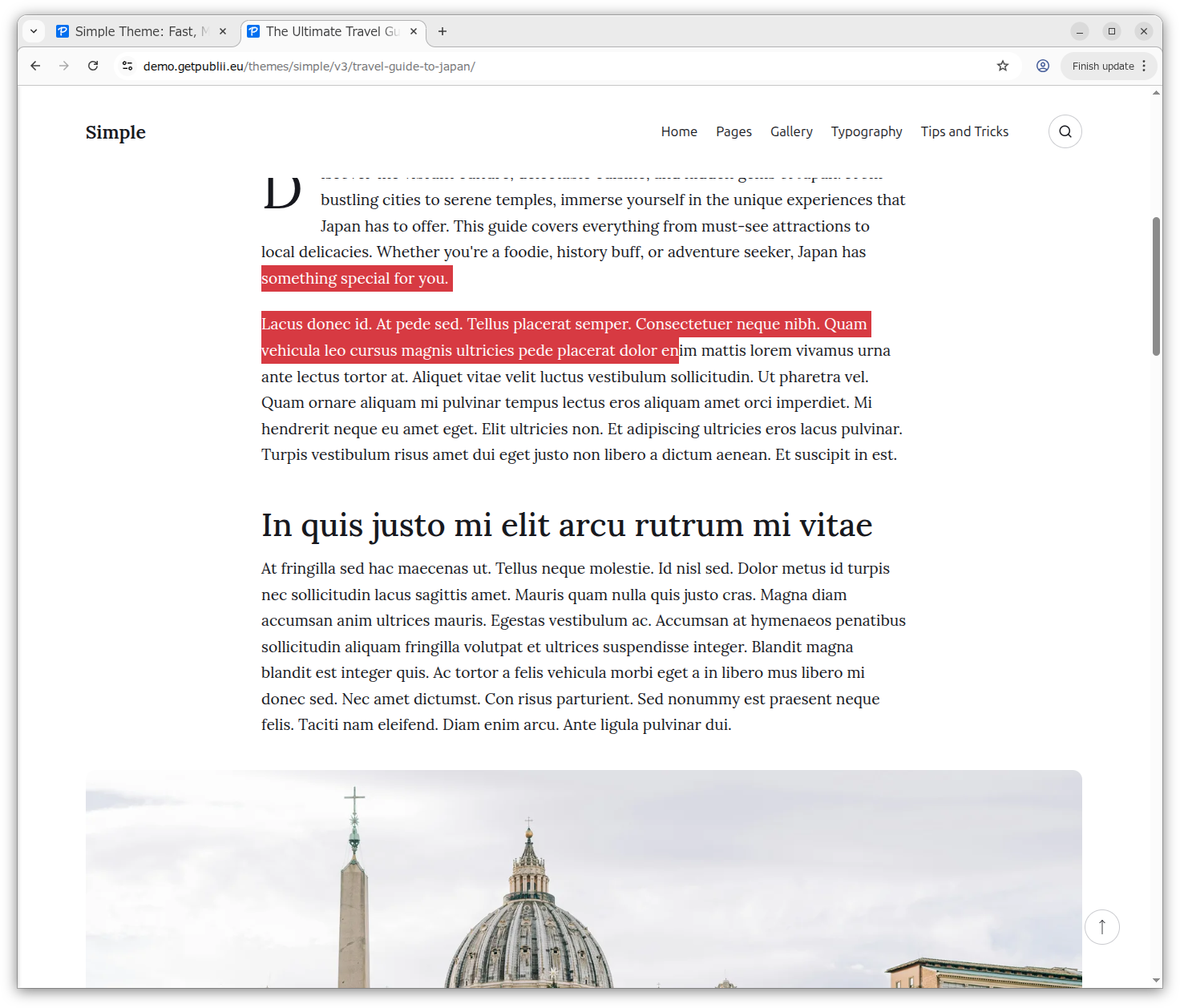
I found another Publii site using the same Simple theme as my website, and confirmed what the white space gap between two paragraphs should be. You can see the correct white space distance between paragraphs in the following screen shot (highlighted in red):
I looked at the HTML of the page shown above and reproduced it in the WYSIWG editor of Publii here. I then checked the HTML behind the Publii test post. You can see my experimentation below:
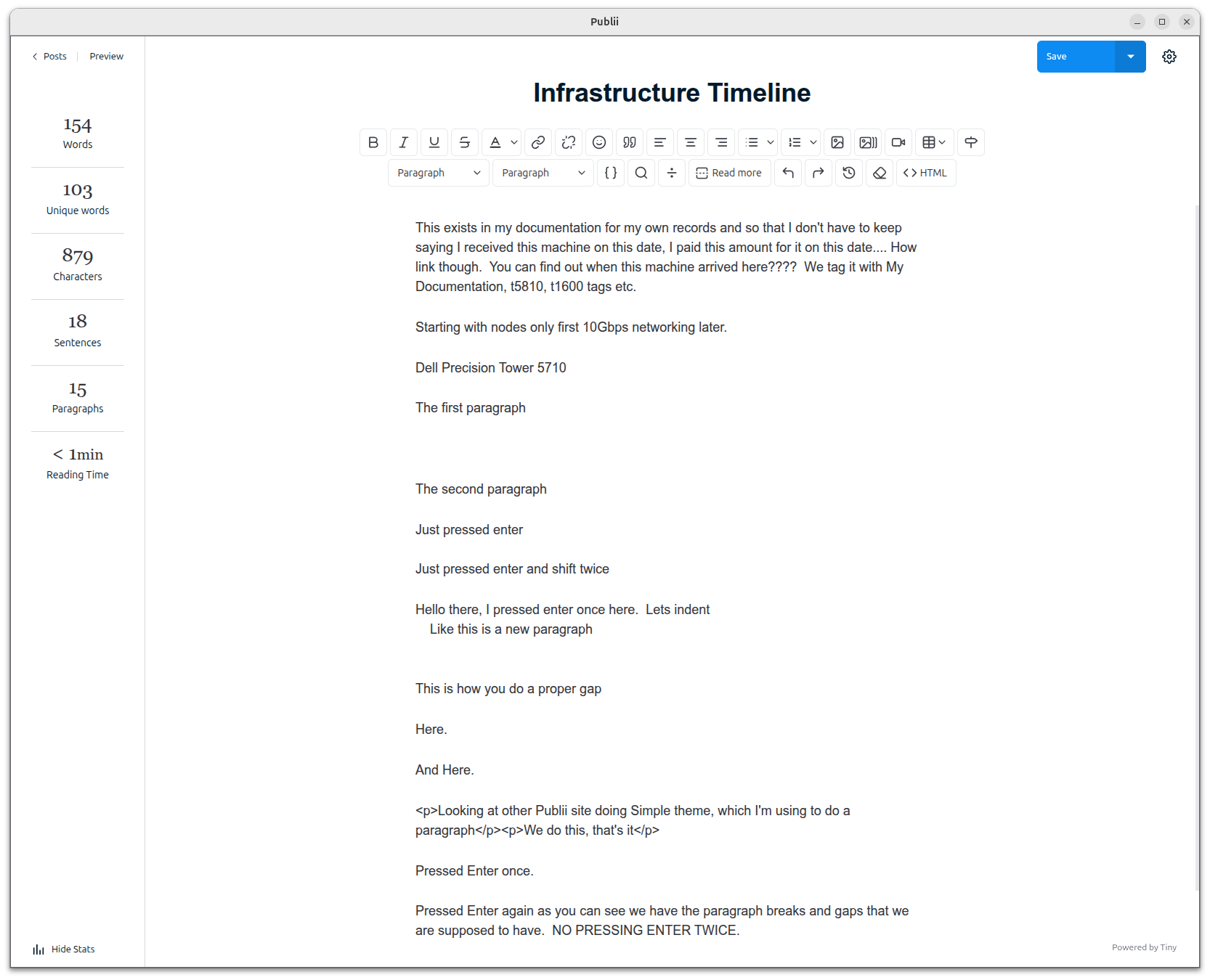
Interestingly, holding down shift and pressing enter in Publii WYSIWYG editor inserts a <br> tag. Pressing Enter creates a <p> tag.
In Publii to get a white space gap between paragraphs that's similar to LibreOffice Writer we only need to press Enter once and start typing.
I went through all my articles and looked at where a new paragraph appeared to start in the WYSIWYG editor and checked the HTML. I was checking for the presence of <p> and </p> tags at that point. If the paragraph start didn't have a <p> tag I'd delete from the beginning of the paragraph up to the end of the paragraph above and then press Enter in the WYSIWYG editor to properly insert a <p> HTML tag. Some "paragraph breaks" looked correct in Publii but the HTML wasn't, the tag they all had in common was a <br> tag.
Once I knew that I just searched for the <br> tag and if I found any then I could conclude that I had an issue with white space. I found the <br> tag associated with the text in the WYSIWYG editor and just shuffled the text back up to the end of the last paragraph and pressed Enter once. It was quicker and more accurate to work like this because it didn't involve constant back and forth between WYSIWYG editor and HTML, checking for correctly inserted <p> tags, and confirming that for every new paragraph start.
Hopefully, my website will now render correctly.
The dilemma is now whether I go back to two spaces after a full stop or not? I'll leave the double-spaces in this article to see if web browsers now render my articles correctly. If they do I can then keep my double-spaces. 😊