Dell Precision Tower 5810 (Part 2)
Where I document prime components, quickly find their resale value, and make some comments....
I'd completed my research on the make and model of the computer that I wanted. Even though in my case it's practically impossible to cover every possible use case. But, the finer point was that I'd spent time thinking about those things and was happy that this computer was the one that would most serve me well. I'm hoping to discuss this further in another article, and why I chose to buy used over new prebuilt, or new self-build etc. Once I'd honed in on the Dell Precision Tower 5810 I started comparing complete system prices, paying particular attention to the memory included. I also looked up the prices of memory if purchased separately. I'd established a necessary requirement of 32GB of RAM in 2020 and the computer that I planned to purchase already had 32GB. I knew the computer was a good price.
I feel as though documenting some of these comparisons, especially component prices, is an important part of this series. If you work in IT you'll instinctively know and understand the reasons why this type of document is important. I love writing but today I'd like to keep this article brief because I completed a large amount of tech work last week that I need to write up here and I'm also on the cusp of starting another large block.
The initial inspection of the computer should include checking that you've received the computer that was purchased, so obvious, but that's why it can get missed initially even by the best of us. There's also an initial inspection of the inside, where you check that the components you expect are there. On eBay a 480GB SSD is an unknown until you either message the seller, or if you don't really care about the SSD you open it up and take a look. That's the time when you start creating records of the inside of the computer, what components the computer has, anything that you spot that may be useful to you in the future, no matter how slim that feels at the time.
I thought I'd use some of this information to assess exactly how much of a good deal this computer was.
eBay Offer
I purchased the Dell Precision Tower 5810 on eBay on the 29th of June 2026. The original price was £145 including £5 postage. There was a "Best Offer" option so I decided I'd make an offer.
I brewed up a cuppa and had a bit of a think because I usually opted to pay the asking price especially if the price was fair. I wanted to try to make an offer this time around though. I was considering whether I should message the seller with a story about why I needed the computer as part of a home lab. Maybe the seller would find that story relatable and accept my offer. I couldn't be sure if this would be a realistic basis for negotiation. If that wasn't a basis for negotiation, I certainly wasn't going to relate a more personal story. Suffice to say here that this computer is absolutely essential equipment that I needed. I quickly considered selling myself as a reputable, knowledgeable and low-maintenance buyer who understands the hardware, so there will be no issues for the seller now or later. But, can anyone promise that? What if the computer simply went South on me during testing before I changed anything. In that case, I would be expecting a refund, and anyway writing a message to the seller about any of this stuff would take time.
Time was against me, and I was talking a big risk of losing the computer to someone else by not hitting the "Buy it Now" button.
Thinking about sending a "blind" offer of a £100 wasn't a bad strategy. The seller could read reviews of me from other sellers and see that I had a good buyer reputation anyway. I sent the offer. Five minutes later, I received a counter-offer of £115 which I immediately accepted. There was postage to go on top, so I paid £120 in total.
When I put my offer in eBay informed me that I had a limited number of offers. I'm guessing that's for if you send an offer to the seller and they ghost you because they deem you've come in at too low a price point. It's then not the end of the world because you can simply send another slightly higher offer until counter offers and negotiation starts.
This computer was probably donated to the supplier because they are a recycler, so they were therefore more likely to negotiate on price. This isn't the case I've found that some charities who recycle tech will not negotiate on price at all, even if the item says open to offers. So, I was very lucky and if what I have planned all goes well I'll be a very happy chappy indeed.
Pricing
Memory
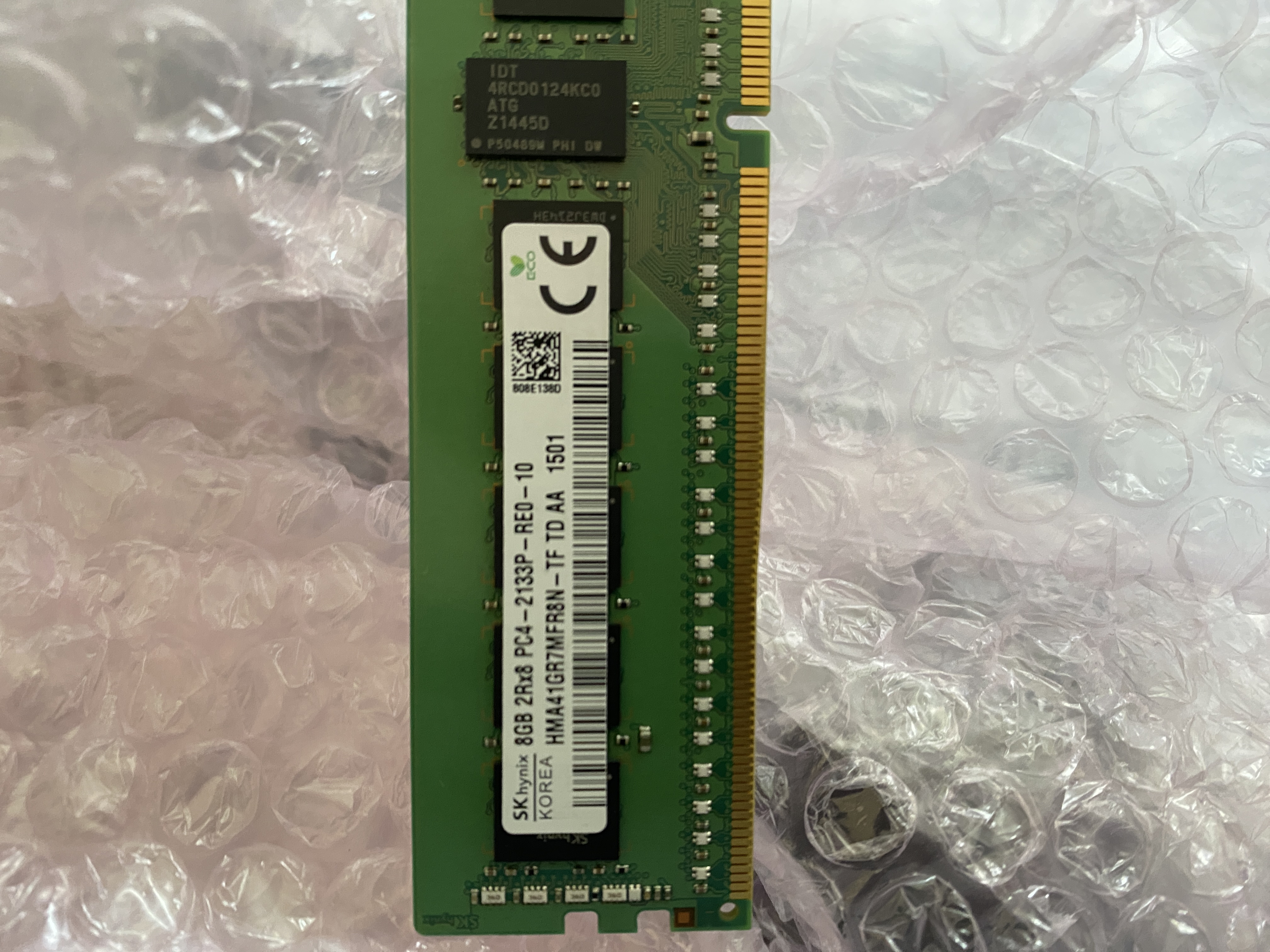
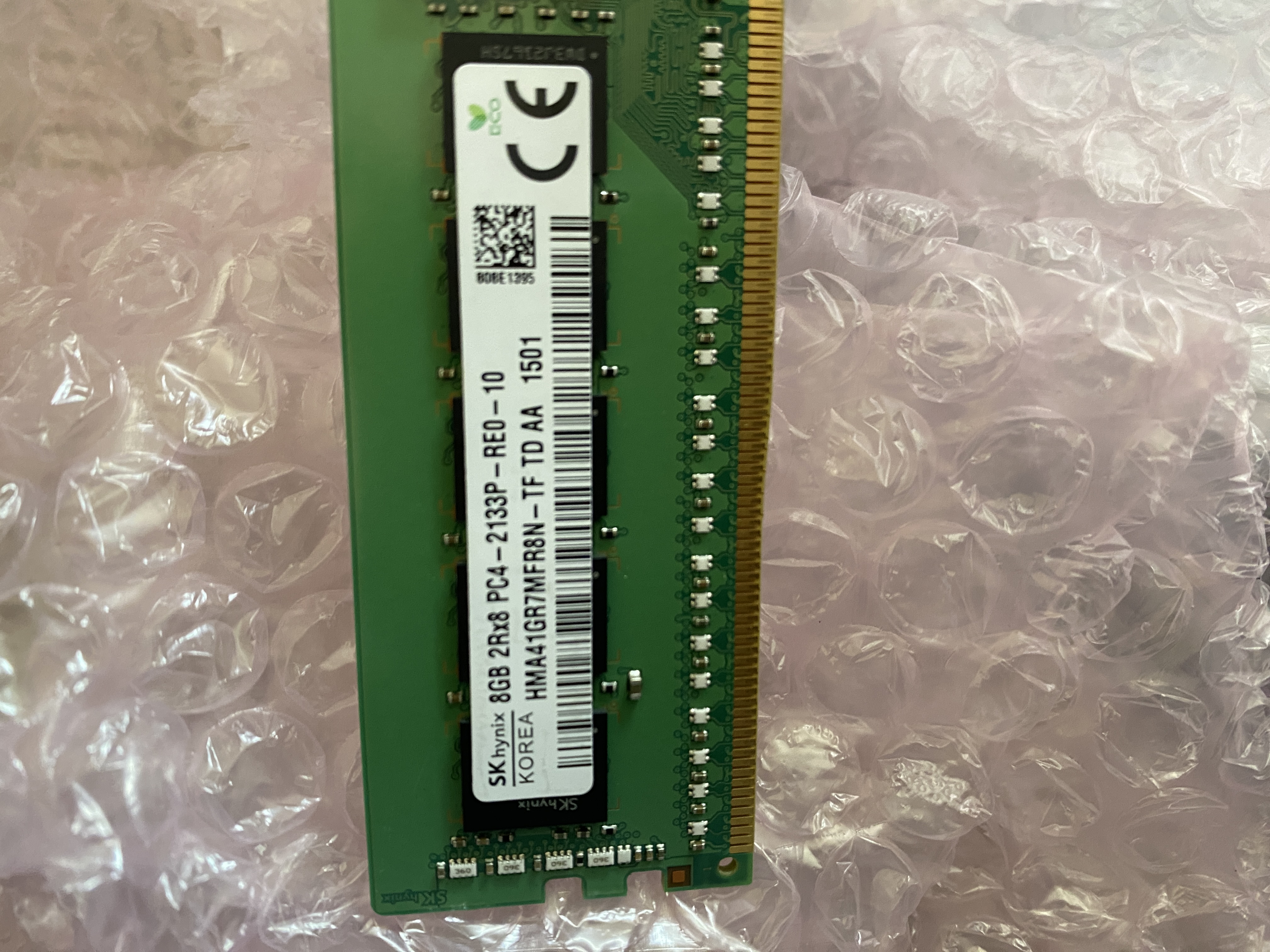
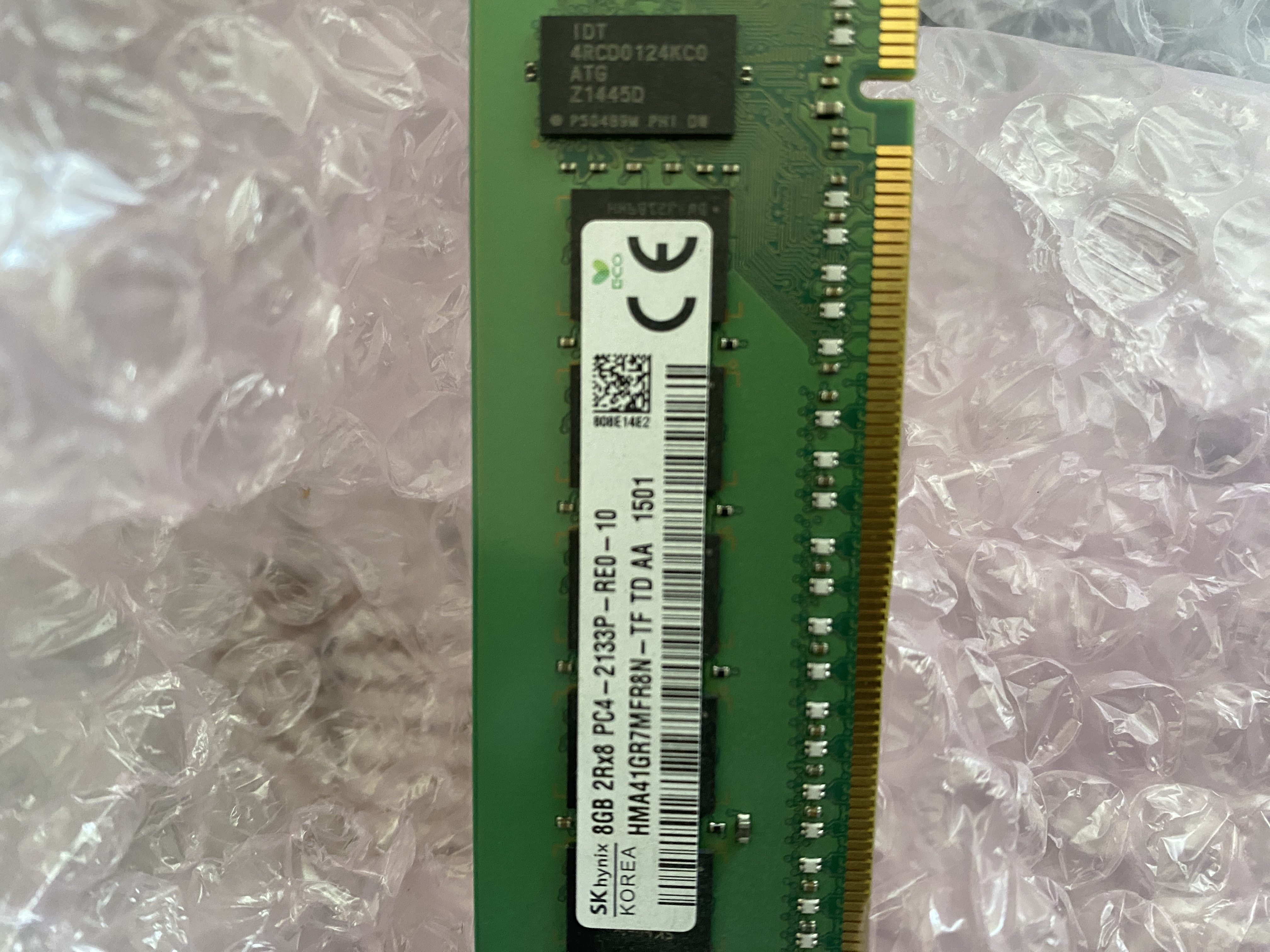
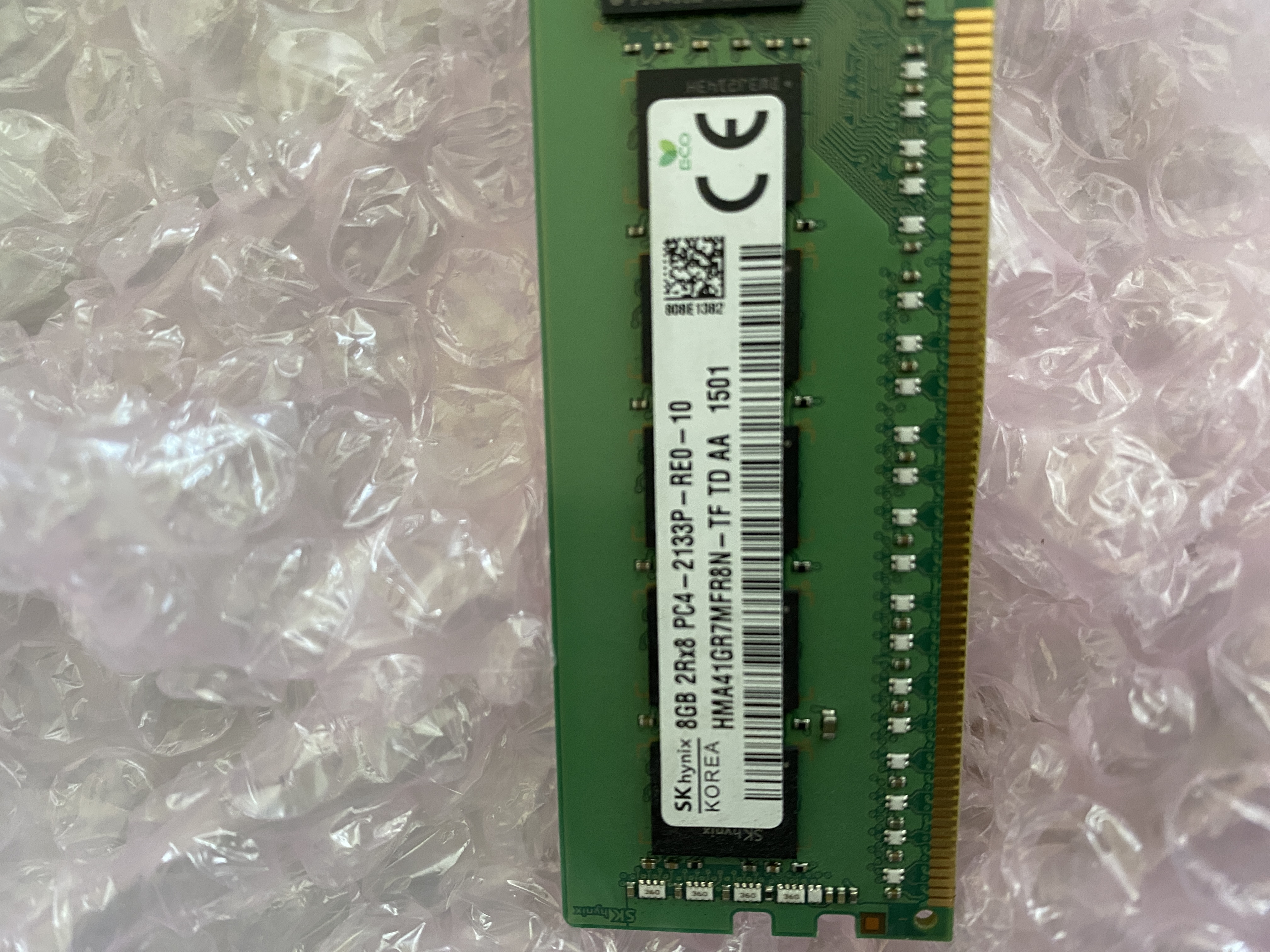
The memory is DDR4 Registered ECC RAM (RDIMM) at 2133 MHz and is likely what shipped with the Dell originally. Dell have an Asset Tracking system in place. This is very useful for IT in firms. So let's check that this is the original memory shipped with this Dell. You can find a sticker on your Dell machine with "Service Tag:" and "Express Service Tag:" any of those two will do:
- Go to https://www.dell.com/support/home/en-uk
- Near the bottom left of the window, where it says "Identify a product" and "Enter the product ID" type one of the two IDs from the label.
- From the "Quick links" near top right of window click Product Specifications.
- Scroll down to find out what you want, in this case "370-ABUP : " which is likely a Dell part number for memory which we don't need to know because we can see the meaningful memory value next to that field. You can see the memory is what we expect in the screenshot below:
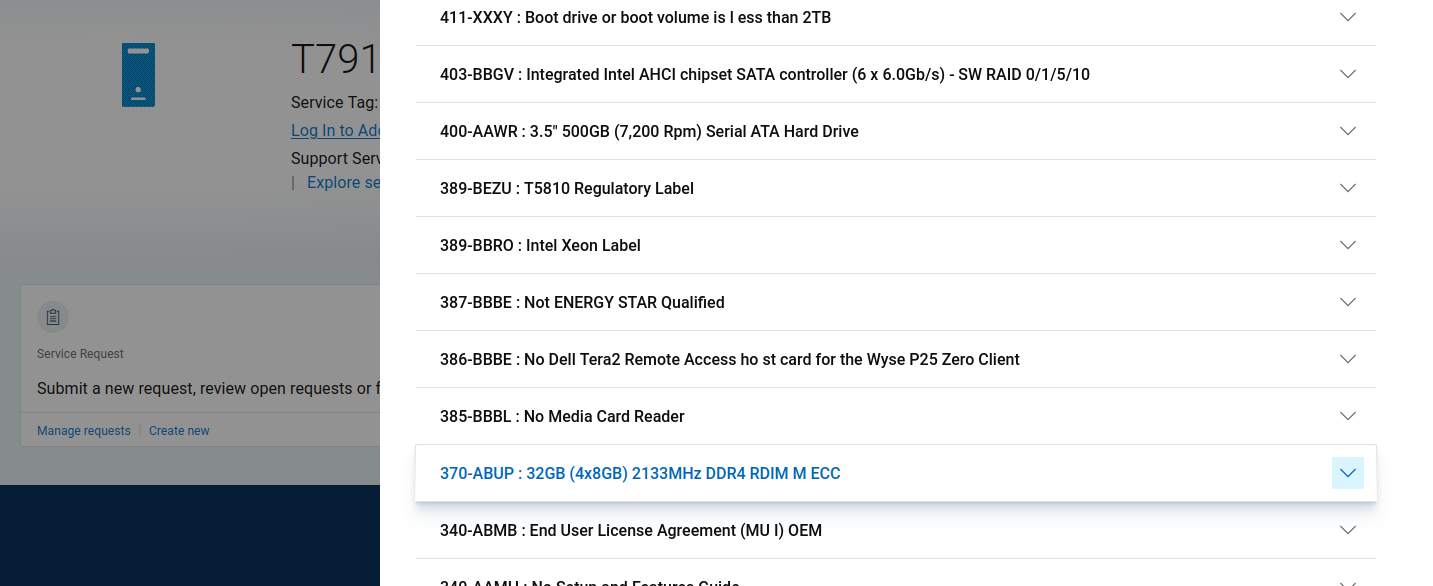
So the memory I thought was shipped with the Dell was shipped with the Dell. Or was it, all is not what it seems. Take a look at the asset tag, doesn't it look a little peeled, towards the right of the sticker?
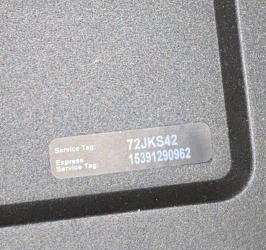
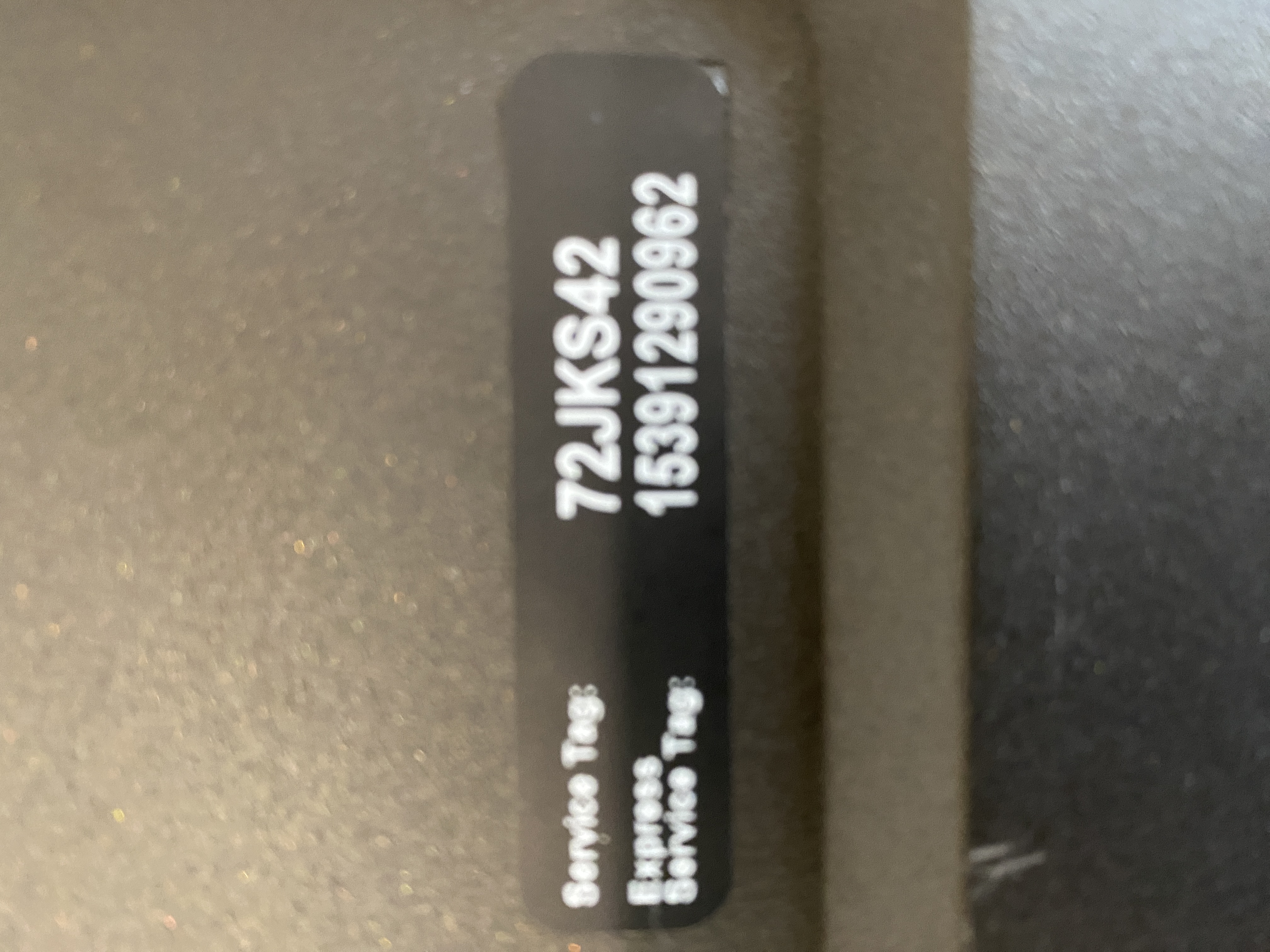
And, if we look at the Support Home page again, T791... (NOT T5810). Either I have a T7910 XL machine or the Tag sticker has been swapped. Since I've already done an internal inspection I know that this machine is a T5810. The BIOS is our friend. Why did it get swapped especially as these stickers are designed not be peelable. Good, good, analysing why this occurred will help me drop off to sleep tonight.
If I were to match one 8GB stick to the ram I already have in my T5810 that would cost me right now £20.50. These sticks used to be between £4 and £7 before the demand from AI drove up NAND prices and caused a memory shortage for consumers. Well, kind of but the end result is that you and I to pay more for our tech to the point where it's becoming inaccessible.
A full set of perfectly matched sticks just costs £75.99 and that's the memory in my computer's resale value.
I would love to max out the memory in this machine but 32GB should be okay for what I have intended for this machine. We'll discuss memory types more in another article because writing this article may have given me an idea and inspired me to make another purchase. Please don't tell my wife!
Solid State Disc and Caddy
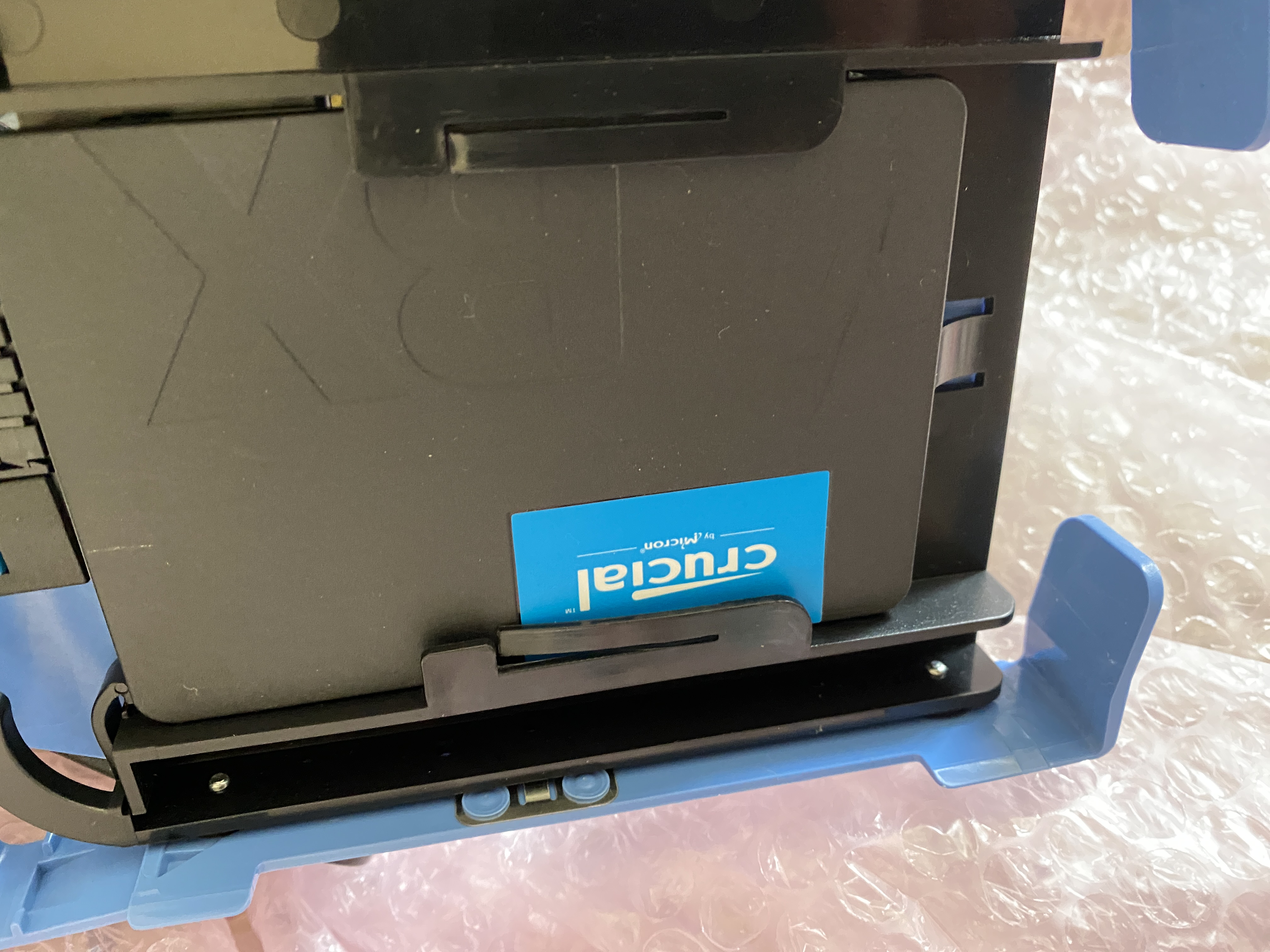
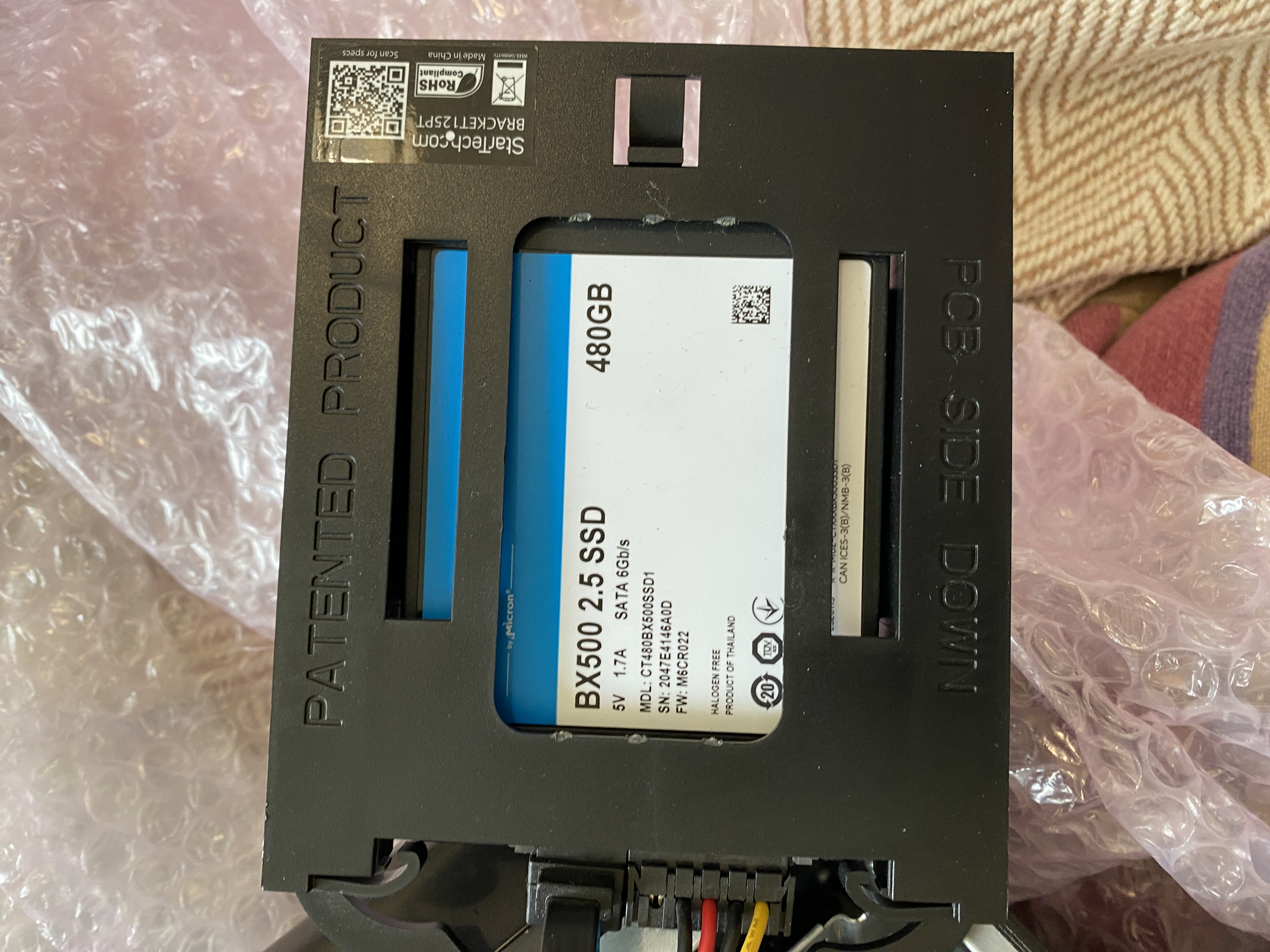
The blue caddy on the outside is a proprietary 3.5" bay, inside that is a 2.5" adapter, or a caddy within a caddy. I have original Dell caddies that I've purchased previously on eBay for £7.50 and £8.79 in July 2020. Where has that six years gone! The original caddies are selling at £4.75 now. I'm not interested in finding Startech versions and pricing those up now that I've seen original caddies are widely available, it seems a strange choice by seller especially when they didn't seem to be the greatest fit. I bet the Startech versions are around the same price as the Dell originals.
The disc itself, seems to be brand new. This is a prime component, Amazon Prime that is! Very likely purchased cheaply on Amazon to replace the missing business drive. Businesses do not relinquish their drives when they donate ex-computers so they just probably pulled the caddies out with the drives still in them before they were shredded. I say Amazon because the drives insides are lose and rattling around inside. If I buy anything from Amazon I make sure that I'm in a genuine shop within Amazon but in my experience buyers love Amazon even if it only saves them one or two pounds. When I build the retro section of this website, I'll chat about this some more. I have some interesting anecdotes dating as far back as 2016.
Between Amazon and eBay you're looking at around £27. You'll see that there will be no requirement or use case for this disc.
Graphics Card: NVIDIA QUADRO K2200
£21.97
Price Comparison and Some Conclusions
Comparing this T5810 to others that were shipping with less memory they all cost more. T5810's shipping with 32GB cost over twice as much.
So for the parts alone their resale value breaks down as:
| Component | Estimated Resale Value |
| 32GB DDR4 RDIMM | £75.99 |
| Dell Drive Caddy | £4.75 |
| 500GB SSD | £27.00 |
| NVIDIA QUADRO K2200 | £21.97 |
| Total | £129.71 |
That excludes the resale of the power supply or even an empty T5810 case, the secondary market for used Dell hardware seems to be massive.
The computer is more than worth what I paid for it. Or, to put that another way....
Total Procurement Efficiency:
- Market Value: £129.71
- Actual Cost: £120.00
- Variance: +£9.71 (Surplus)
I'm very excited to continue this project, it feels like Christmas already! The next article will prepare us for the ghost of the upgrades that are yet to come....