Making a Second Version of this Website
Before I could get to the stage of having a simple web page online I needed to think about some of the following:
- Choosing the primary domain name.
- Deciding on what other similar domain names needed to be registered.
- Partly designing a logo or banner.
- Reducing recurring costs, and if I could ask for a few pounds towards the recurring annual costs of my website.
- Choosing an artwork style.
- Website stats (so I can improve!) and especially counters on how many people have read each Post.
- My motivation for setting up a website, rather than using say LinkedIn or other social media outlets.
- Google search rankings.
- How I'd like my website to look.
- What I'd write and how I'd write it.
- Setting up my domains.
- Choosing hosting.
- Researching technologies and infrastructure.
- Getting temporary content online so that I could check my domains configuration and hosting.
- Exploring my chosen CMS and quickly assessing whether it could do what I wanted it to do now and in the future.
- Experimenting further with the CMS. It couldn't do something that I wanted it to do because of the way it worked under the hood.
- Buying a better keyboard so that I could type faster and enjoy using it for my website content.
- Initially establishing a very basic workflow so that I could get going with my website and trying not to get bogged down perfecting a future-proof workflow.
- Creating website backups.
- If an update breaks the online website, the ability to roll back to a point in time immediately before the last upload.
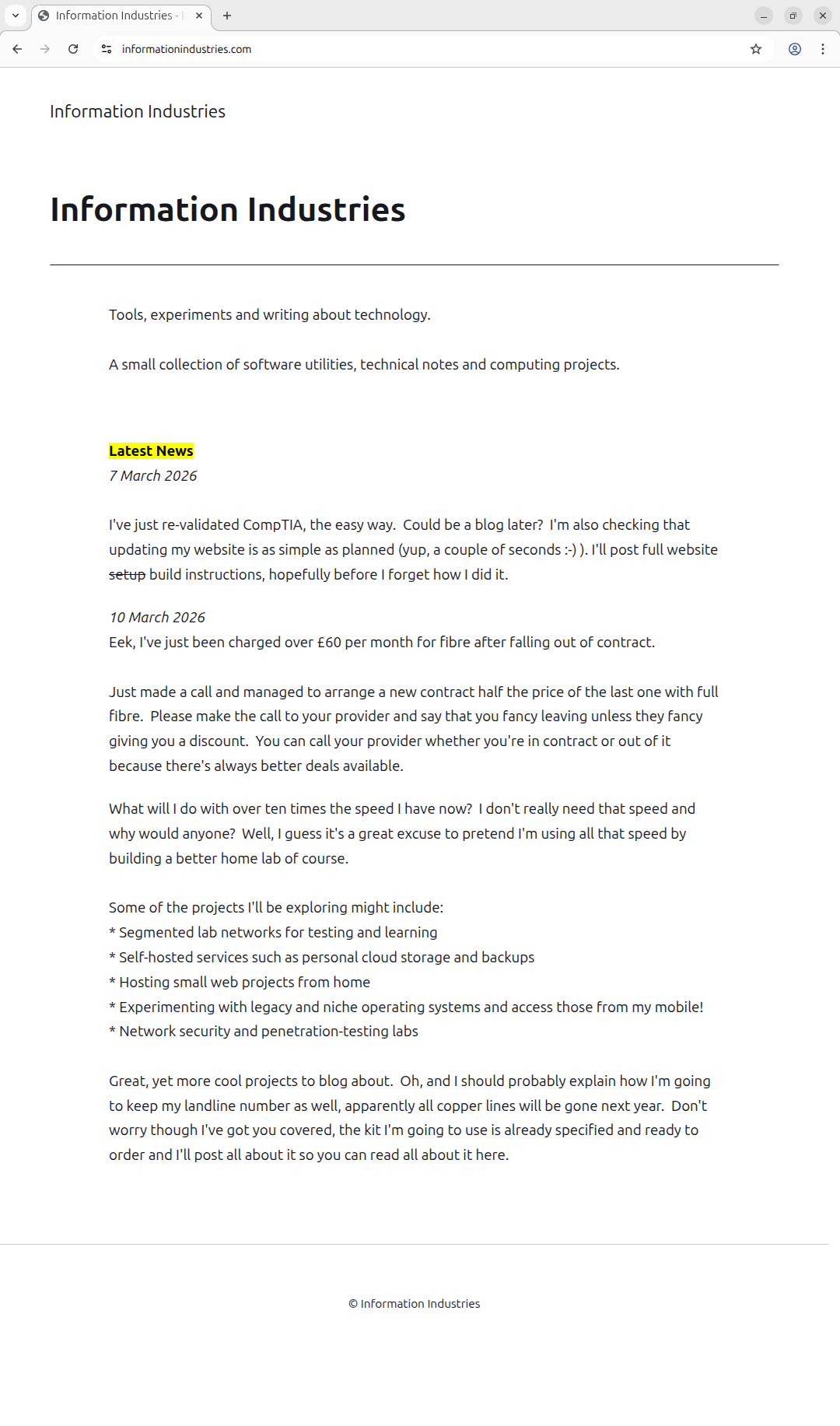
- Putting up a test Landing Page with a temporary write-up of what I thought my website could be about. I later created some News items to the Landing Page.
- Trying to understand the CMS through further experimentation so that I could write this article.
Wow, isn't the list above large! It's probably an incomplete list because it was written off the top of my head so should be a lot longer. All that just to get a website that will only be a placeholder for stuff I want to write about, or programs I want to give away. Can I describe this process as being a rabbit hole?
I've realised that most of my time was spent planning, designing and researching. The implementation felt considerably less, I'd guess at a 90% to 10% ratio. In theory the 90% time spent on foundational work should never have to be redone. The figurative 90% that enabled me to get my first Landing Page online has already been invested. I'll still need to produce some detailed documentation on the steps taken before the landing page, possibly as content for this website, but the 90% is good enough to be called complete for now.
If I were to carry the 10% forwards with putting content online and include developing the website's design.... It's late and I'm tired so let's rephrase that idea. Going forwards, updating my website (not including creating content) should be a much smaller proportion of whatever went before. But, I want the time spent to be extremely small, around 1%. I hope that the time I've already sunk into an overall solution produces efficient results and keeps costs low, as well as the CMS itself being effective. I feel optimistic, as though I'm exactly where I wanted to be when I had the ideas to make a website.
While writing this article I've just discovered something about myself, my unconscious philosophy appears to have always been to aim all my technical workflows, and all the tools that I design, at the "1%".
But, what about the most important part of the website, the content? Even this first "Post" needs to be thought about. I have to start somewhere, with something, and know how to write it. Let's start...
Aims
- Explain enough of the basics so that readers can find it easy to get going with the CMS without having to work out the core concepts of what my chosen Content Management System (CMS) expects.
- The design scope will be to focus on hosting this content only. As part of that website structure may come some flexibility that allows me to quickly upload other articles too.
- Reproduce the News items on the landing page of the first version of my website but with structure, however that may look.
- Upload a new website tonight.
- Use this article as a mechanism to help me think about my website design and content more, to make my ideas concrete and to generate new ideas.
- Explain the rationale of what I did and why.
- Practise writing!
Reminder to self: Writing is more important to me than designing and perfecting a website.
Style, and Approach, and another Aim
I will continue to write in a stream of consciousness, primarily to get this content quickly online. I will also write my thoughts down as I make website changes. It's nice to have somewhere to jot down my workings-out, and also to wander off topic now and again. If I stumble across something that may be useful to others during my digressions I'll later link out to other content which I'll write. Maybe writing in a largely unfiltered way is the way forward for my content?
So, this article will be free-flow. Do I have your permission to write like this? I don't know oh human reader, but the great thing about my website is you can choose whether or not to come here. My content isn't forced into your feed because an AI algorithm decides You Must Read This ASAP because I'd self-edited myself into oblivion. Assuming that your feed isn't already too full of content by other AIs. I no longer post on LinkedIn so I guess my Posts can be even more authentic, but then I should at least try to make this article readable. I mean, it'd be nice if my articles were at least accessible to others.
I should probably name the elephant in the room "Posts". What is a Post? Well, the term is a bit database-y if you ask me, and I don't want to use it, unless I'm directly referencing "Post" in the CMS's interface. When speaking generally I want to use the word "article". Sorry if that sounds a little pretentious but it's shorter than "Journal Entries" and possibly less pretentious than "Musings"! I dislike the term "Posts" because it doesn't seem transparent and beginner-friendly. I only seem to be happy to use that term when referring to my LinkedIn posts, and now I understand why!
The fundamental component of any website should be information, here we'll call it Content. Notice that without knowing anything, other than what we know now, we can still think and imagine how things may work. When we start to understand those concepts we can guess at their names and things start to make more sense. I think that one of my website aims will be to explain things simply, and also how to teach yourself anything.
Aha! Knowing Me, Knowing You
As I write this article I'm starting to see that the correct approach was not to attempt a step-by-step guide. Instead I may occasionally screen shot the CMS and show you how to do key things, and later link from here to a full guide. I want to cover what I did and the fundamental concepts that got me going with my website. It's like a background article, the background article I wished I had before starting out using the CMS. The Aha! moment documented for you.
My Chosen CMS is...
Publii is the content management system that I'll be using for my website. I chose Publii because it looked easy to use, and because its output is a vital part of the architectural design of the site.
A Difficult Start
Because I didn't know the specifics of what I wanted to do with my website it was hard to choose a CMS up front. With other technology projects I usually know what I want to do from the start and then from there I work out what I might want to do later. I had also avoided a complete website design up front. I wanted to think about the design only when I felt like it. I was hoping that this unusual approach, for me, may eventually produce a design, maybe some novel ideas. I wanted some of that design to come from working with my CMS. Sometimes the website may appear incomplete or unstructured but that's what I want it to be, by design. There was thought that went into that and it was a conscious decision.
I put my faith in a CMS that I barely knew and was resigned to use it. If I found the CMS couldn't do something that I wanted then maybe I was doing it wrong or thinking about it wrong. In the worst case if Publii proved totally inadequate then I could easily swap in another CMS, thanks to the research already done as part of the first "90%" of the project.
A First Look At Publii
I guessed that Publii has Posts and Pages in common with other content management systems. My question became, what's the difference between a Post and a Page, especially in terms of which is used for what content?
Do I want to go off and google that? No, I prefer to work things out myself because it's more fun. If technology was my day job I would absolutely google that. After playing with Publii I found that a Post is an article which you want to appear in a feed.
My definition of a feed is: "A list of links to content which automatically update as new Posts are created, so content is listed in date order."
A Page is something more static, it doesn't appear in feeds? Maybe... I wanted to concentrate on Posts because they seemed the most likely to achieve what I wanted now.
Menus --> A bit...
I started by designing my menu. The scope of my website required some kind of navigation. I had assumed Publii would support menus and never checked before choosing to go ahead with Publii. Publii does, and Publii is intuitive. It's so intuitive that it was really easy to experiment, creating different layouts and seeing those on screen. I could evolve my ideas, exactly in the way that I had intended from the outset.
Menus --> Downloads...
You can see my download testing in the following screenshot:
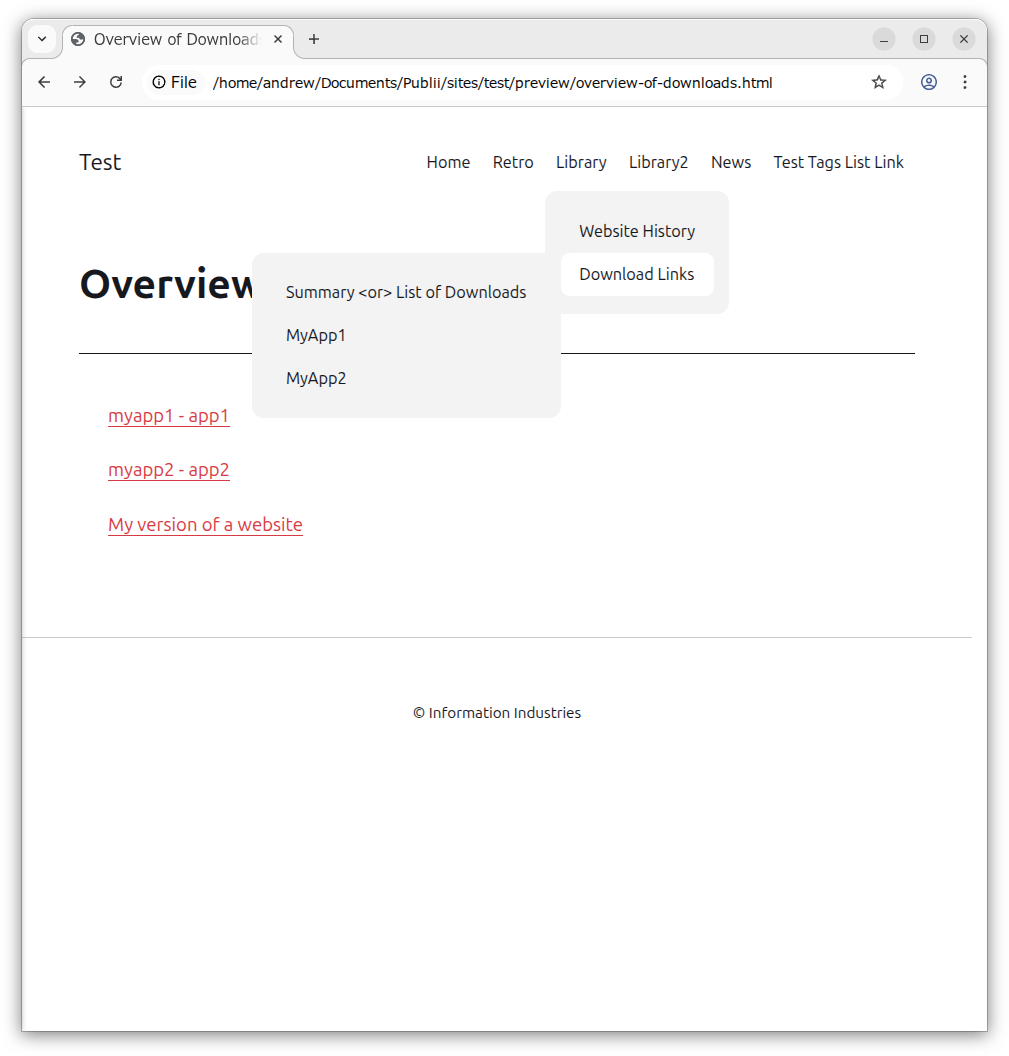
Then I stopped, something didn't feel right. I felt like I was working around Publii and the default theme in order to construct my website. I had stopped because I was missing something "obvious" that Publii really wanted me to do.
I didn't want to manually create Download links. Maybe I'd have to, but I couldn't imagine managing my articles in that way. I'd have to manually create or delete links to articles on a Page and possibly add them as sub-menu items too, duplicating effort every time. I thought that the CMS must automate this process in some way.
Downloads was a useful exercise because it had got me thinking, but I didn't feel that I should be doing things in unexpected or non-standard ways, when comparing my website to most others.
I'll come back to the Downloads section of my website in another article. For now, I will make my website so basic that it disregards any menu structure except one that allows me to put up this article. I was very keen to start writing articles but had to understand the fundamentals of Publii first in order to proceed. I had to learn to walk before I could run.
I wanted to do what Publii and the theme expected of me, with no working around, and construct my website that way. Once I knew how, creating a website quickly would be an easy task.
...And Tags
I kept coming back to Publii and dipping into its interface, finally I noticed that Tags also featured strongly like Posts and Pages did. Realising the potential importance of Tags I created some test posts. In each Post in Publii there is an option to add a Tag (there is no option to create a tag in a Page). I created a News Tag first so that I could then add it to my test posts. I then created a new menu and a sub-menu item called "News". I looked at the menu's Type field and changed it to Tag Link and selected the Tag page as "News". Then when I clicked News from the menu item I got a feed of my test News content.
Publii allowed me to backdate all the News items too. The first version of my website had a couple of news items on my landing page, I just copied and pasted and recreated those as Posts and linked them with the "News" tag. While I was at it, I repeated the steps for a "Retro" feed and because that was so easy it felt like I was working with Publii and how the template expected me to design. Because I now had this basic understanding of Publii I could now start to explore realistic website designs.
I created a menu item called Articles and then a sub-menu item called Learning, which is where this article will live for now.
Final Thoughts
For me this has proven to be a great article, without me rambling off-topic too much, hopefully unearthing some useful IT concepts along the way, just by talking about Posts and Pages. This is exactly what I want my articles to be like. There are also a few other ideas that this article has helped me generate.... But, that's it for tonight. A realistic objective completed, and it felt quite satisfying. Thanks world, for giving me something else interesting to think about when I later fall asleep.
Please be kind because my website is not primarily for anyone really, except for myself. Because I have a need to write stuff. It's just because, also because I have a need to explain things simply. If someone out there in the world, it is a World Wide Web after all, gets something, anything from my articles then my website has achieved one more objective outside its scope and Welcome To My Website!
Note to self: I think I'll have "Welcome To My Website" as the main title, and also under "About", which seems to sum up exactly what I want to achieve. "Hello World!" will head up the Retro section.