Fixing Publii and Electron AppImages and Handling Updates
Background
I'd updated Ubuntu, knowing that this would probably break things and stop me being able to update my website. You know in IT when you just get a bad feeling? After a few years you develop an instinct, those instincts tend to make "backup plans".
I still went ahead and updated because I'd held off far too long. In my experience the more updates accumulate then there's more chance that they will break something. I'd also mirrored my daily driver PC disc image to the disc I put in my Dell Precision T5810. For now, I required this older version of Ubuntu on my Precision. My daily driver PC could now be updated because I was going to play Elite and run some other bits I had in mind on the Precision for now.
I've been unlucky in the past with updates, but the benefits of running Ubuntu far outweigh any issues caused by an update, which I've so far always been able to fix. I always learn something new every time an update breaks things for me, so who really cares? I'm here to learn as much as I can. I did run Linux Mint in a virtual machine once but I couldn't bring myself to switch distros or distributions having played with Ubuntu since around 2007.
Sometime after the update I double-clicked the Publii AppImage but nothing happened. I thought I'd run it directly from a terminal so I could see any error messages. The following was reported:
[6443:0728/212028.417007:FATAL:sandbox/linux/suid/client/setuid_sandbox_host.cc:166] The SUID sandbox helper binary was found, but is not configured correctly. Rather than run without sandboxing I'm aborting now. You need to make sure that /tmp/.mount_PubliimjBadC/chrome-sandbox is owned by root and has mode 4755.
Trace/breakpoint trap (core dumped)
This error is well documented on the Internet. The workarounds which I found via a Google search seemed to be working around security.
I think there was information on FUSE versions too but I didn't read any of that because I'm just not that interested. I'm prioritising my time so that I can talk about things that really interest me sooner rather than later, to do that I need to be able to update my website with articles and I need a bit more infrastructure first.
The following script didn't work for me but it inspired me:
#!/bin/bash
appimage_path="./ledger-live-desktop-2.92.1-linux-x86_64.AppImage"

# Run the AppImage, allowing some time for the mount to complete
$appimage_path &
sleep 1

# Dynamically identify the mount point
mount_point=$(mount | grep ledger | awk '{print $3}')

# Fix permissions if the mount point exists
if [[ -n "$mount_point" ]]; then
    sudo chmod 4755 "$mount_point/chrome-sandbox"
    sudo chown root:root "$mount_point/chrome-sandbox"
fi

# Wait for the AppImage process to complete
wait
I'd rather sacrifice the convenience of running an AppImage like an AppImage, rather than circumventing security which has apparently been increased with Ubuntu's updates. I was going to extract the files from the AppImage and give the files the permissions they needed to run. For completeness I did think about trying to then repackage the files as an AppImage. My fix worked well enough so I didn't investigate this option further.
The Fixes
I used this issue as an excuse to organise my files a bit better. I've already mentioned how I'd done rather a lot of work to get to the stage of being able to use Publii and at that stage I didn't even know if I'd be using Publii permanently. Basically, I'd dumped files in Downloads and had a break from domains and website DNS setups, etc.
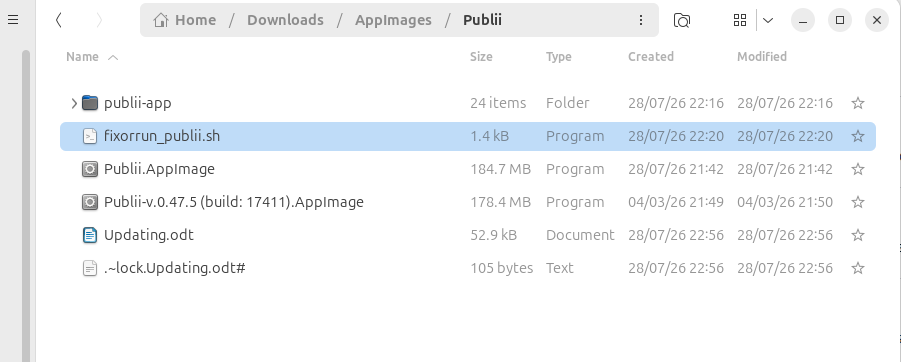
Downloads still seemed a logical place for AppImages. I created a Publii directory where "Publii.AppImage" would live in root alongside all older versions. "Updating.odt" in the following screenshot can be deleted because that documentation is this documentation. My documentation will now live on my website.
The Script
#!/bin/bash

APP_NAME="Publii.AppImage"
EXTRACT_DIR="publii-app"
SANDBOX_BIN="$EXTRACT_DIR/chrome-sandbox"

if [ ! -d "$EXTRACT_DIR" ]; then
    echo "Extracted directory not found. Extracting $APP_NAME..."
    ./$APP_NAME --appimage-extract
    mv squashfs-root "$EXTRACT_DIR"
else
    echo "Found existing extracted directory: $EXTRACT_DIR. Skipping extraction."
fi

if [ -f "$SANDBOX_BIN" ]; then
    # Get current owner and permissions
    CURRENT_OWNER=$(stat -c '%U:%G' "$SANDBOX_BIN")
    CURRENT_PERMS=$(stat -c '%a' "$SANDBOX_BIN")

    # Verify if root:root and 4755 are set correctly
    if [ "$CURRENT_OWNER" != "root:root" ] || [ "$CURRENT_PERMS" != "4755" ]; then
        echo "Sandbox permissions incorrect ($CURRENT_OWNER, mode $CURRENT_PERMS). Fixing..."
        sudo chown root:root "$SANDBOX_BIN"
        sudo chmod 4755 "$SANDBOX_BIN"
    else
        echo "Sandbox permissions are already correct."
    fi
else
    echo "Error: chrome-sandbox not found at $SANDBOX_BIN!" >&2
    exit 1
fi

echo "Launching Publii..."
./$EXTRACT_DIR/AppRun
The next stage is to set the script file above to be executable, it's easiest to do this from the GUI, by right-clicking the script file, selecting Properties and in the Permissions section toggle the slider to "Executable as Program" to on.
Then we run it as follows (you can see the output too):
andrew@andrew-HP-ProDesk-405-G4-Desktop-Mini:~/Downloads/AppImages/Publii$ ./fixorrun_publii.sh
Found existing extracted directory: publii-app. Skipping extraction.
Sandbox permissions are already correct.
Launching Publii...
(node:56244) [DEP0040] DeprecationWarning: The `punycode` module is deprecated. Please use a userland alternative instead.
(Use `Publii --trace-deprecation ...` to show where the warning was created)
Set spellchecker to: en-GB
Updating Publii AppImage
If there's a new version of Publii, then Publii will notify us:
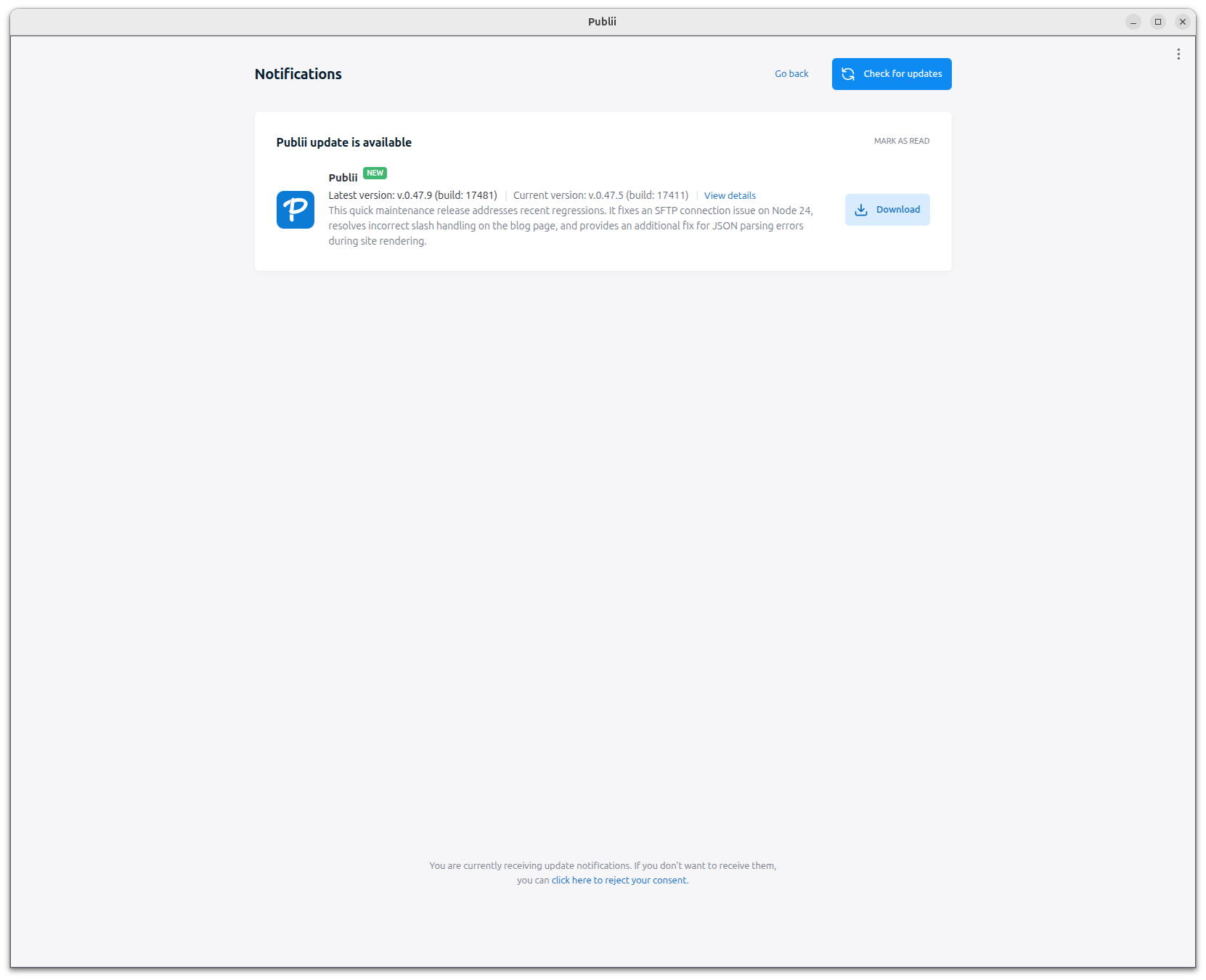
- Rename "Publii.AppImage" as Publii-nnn.AppImage, where "nnn" is replaced with the current version string from the Notification pictured above. For example, Publii-v.0.47.5 (build: 17411).AppImage. So that we maintain copies of last working version(s).
- Download the latest version, it's easiest to do that from the Notification.
- Set the "Publii.AppImage" to executable.
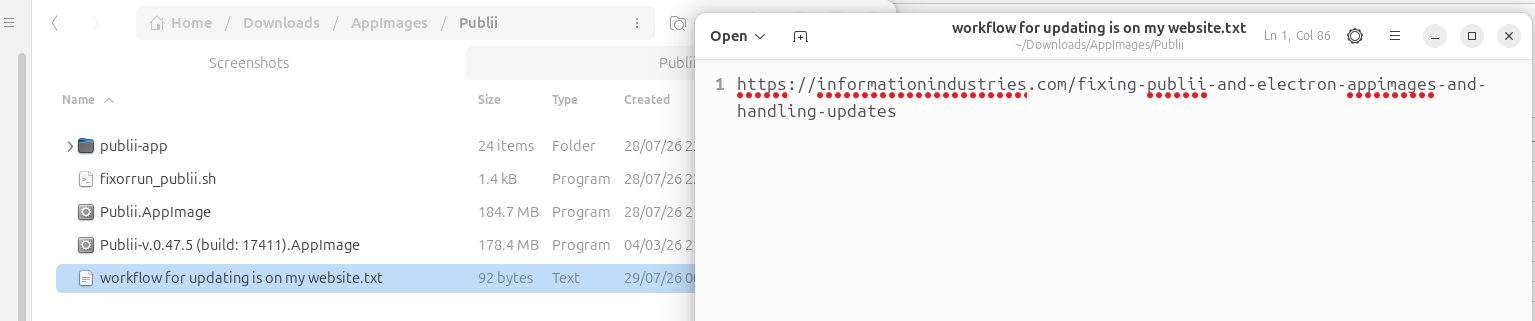
- Delete or put the "Publii.App" directory into the Recycle Bin. The script will detect that the directory is missing and 'know' that a new version of Publii has been downloaded and needs to be fixed up.
- Run the script. The AppImage files are unpacked to the "publii-app" directory and the permissions are set correctly for the new version of Publii.
- Run the script again to start Publii. No need for terminal, just right-click and "Run as a program".
Note: If you don't run step 3 the script will give you a permission denied error which cascades as follows:
Extracted directory not found. Extracting Publii.AppImage...
./fixorrun_publii.sh: line 11: ./Publii.AppImage: Permission denied
mv: cannot stat 'squashfs-root': No such file or directory